AI-Powered WordPress Development: CPT, ACF Fields, Query Loop, and Template in One Prompt
Article
Most WordPress developers know the drill. You need a custom post type. A taxonomy. A set of ACF fields. Then you need content to work with, so you write an import script or manually enter dummy data. Then you build the template. Write the query. Design the card. Style the grid. Make it responsive.
Each step is its own context. Its own plugin screen. Its own mental model. CPT registration happens in one place, ACF configuration in another, template building somewhere else, CSS in yet another tab. You are constantly switching between tools, and every switch costs you time and focus.
We just did all of it in one prompt.
Full WordPress data workflow in a single AI prompt
We gave Builderius Sense AI a single command:
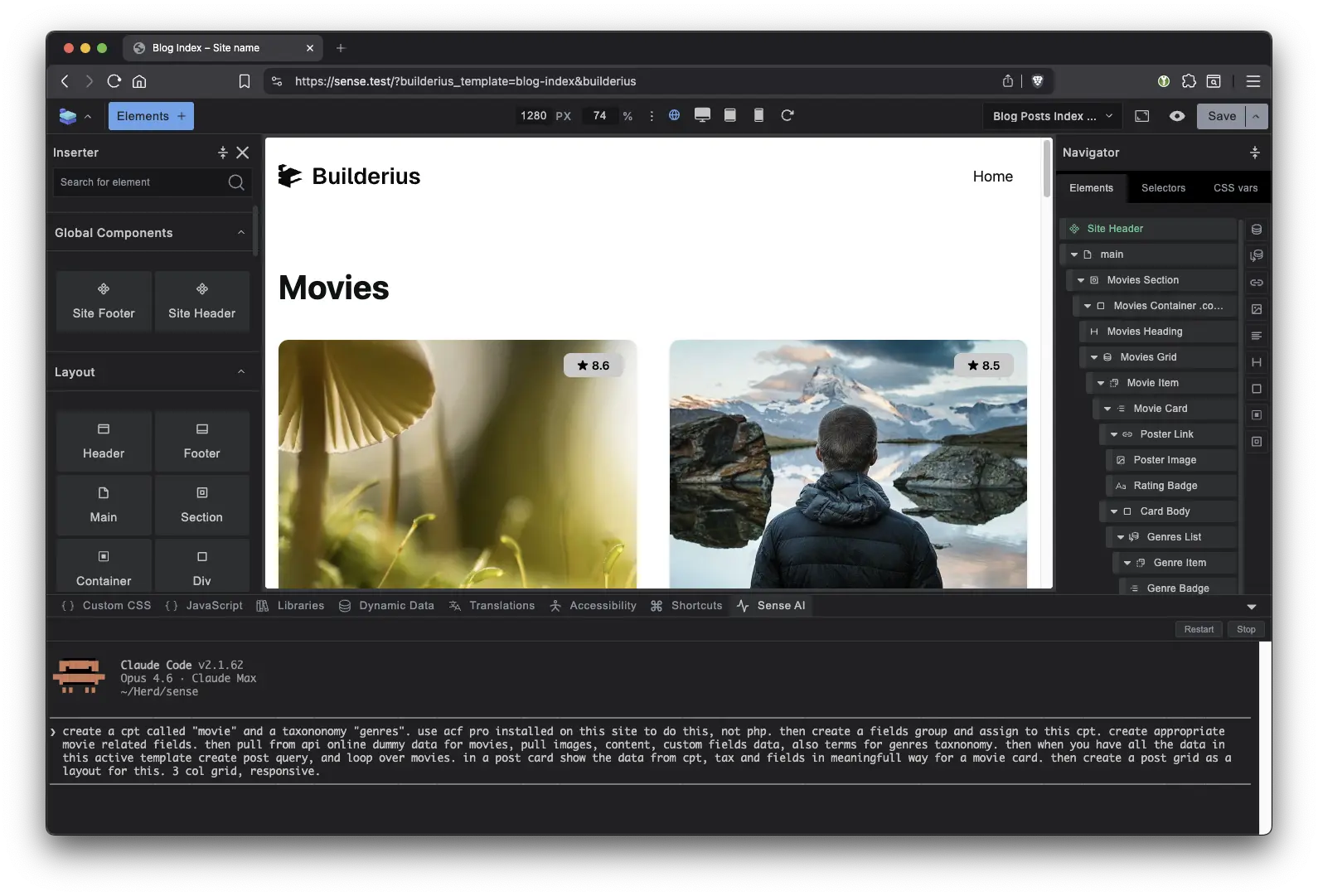
Create a custom post type called “movie” and a taxonomy “genres.” Use ACF Pro to create field groups with movie-related fields and assign them to this CPT. Pull dummy movie data from an external API, including images, content, custom field data, and genre terms. Then build a post query, loop over the results, and display each movie in a card showing CPT data, taxonomy terms, and custom fields. Lay it out as a responsive 3-column grid.
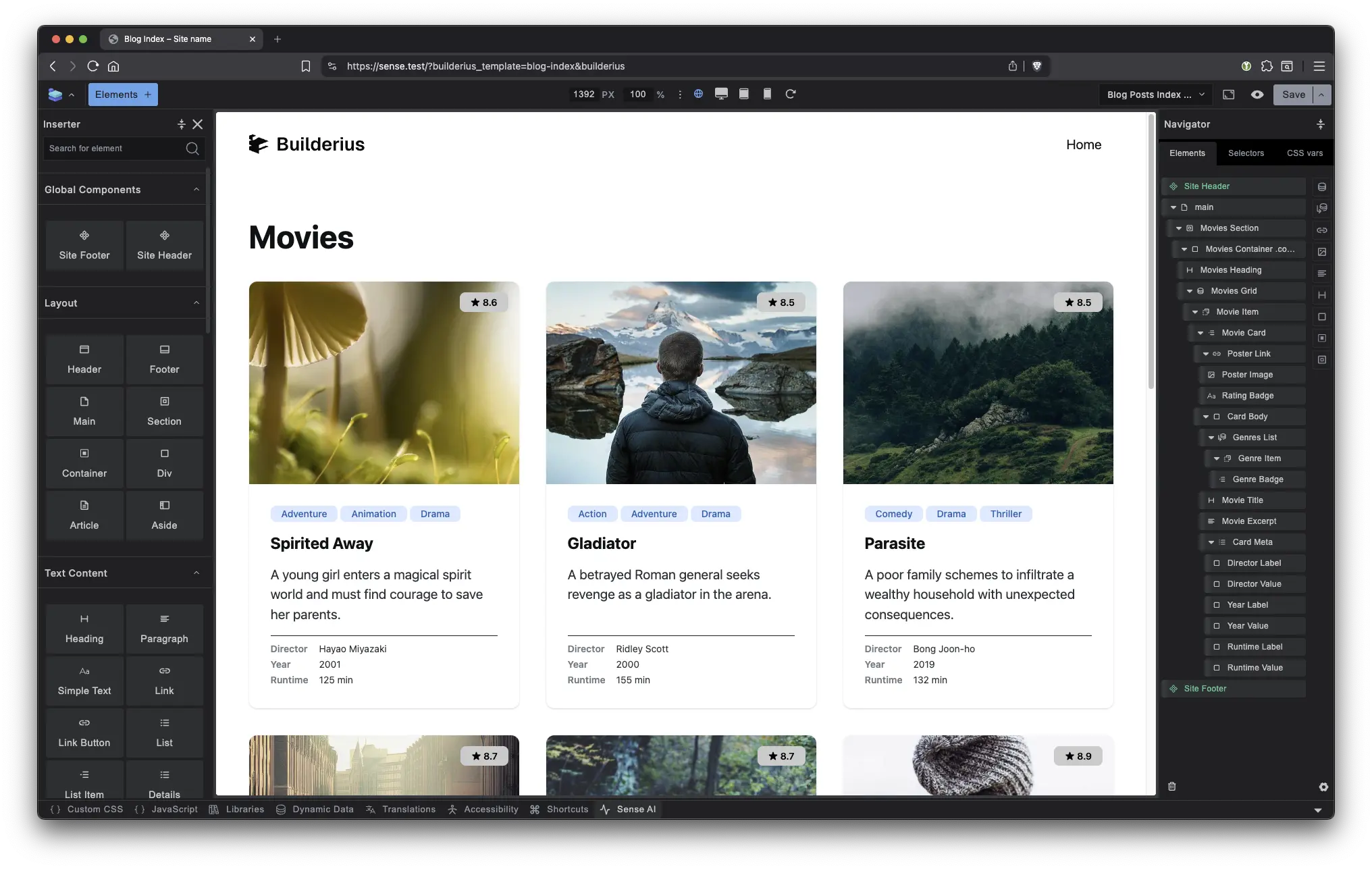
It completed the entire task in one pass. After that, three small tweaks: remove the white background, change the image aspect ratio to 4:3, and manually adjust a badge color. That was it. Data modeling, data population, data querying, and data display, all from inside the builder.
Watch the full demo
Why most WordPress AI integrations fall short
Every WordPress builder can claim AI features now. The question is: what can the AI actually reach?
Most AI integrations in the WordPress development workflow operate in a single layer. They generate HTML, or they write CSS, or they scaffold a template. The moment you need to touch the data layer, registering custom post types, creating ACF field groups, importing content, assigning taxonomy terms, you are back to doing it manually in separate tools.
Builderius Sense AI operates across the full WordPress stack through its MCP (Model Context Protocol) integration. It understands the builder’s own framework and best practices. It works within your design decisions rather than overriding them. And it has access to every layer of WordPress: data modeling with ACF Pro, content management, post querying, and front-end display.
This is not an AI that generates a page and hopes for the best. It is an AI that works the way a senior WordPress developer works, except it does it in seconds.
Context-aware AI that knows its own data model
There is a subtlety here that matters more than the speed.
When a developer builds a WordPress project manually, each step is a silo. You define ACF fields in one screen, then switch to your template and try to remember the exact field slugs. You register a taxonomy, then write a query and hope you got the taxonomy key right. Every handoff between tools is a place where things break, because each tool has no idea what you did in the other one.
When Sense AI creates the data model, it already knows the structure. It created the CPT, so it knows the post type key. It created the ACF fields, so it knows every slug. It created the taxonomy, so it knows how to query by term. When it moves to building the query loop, there is no translation step. When it maps dynamic data to the card template, it is referencing the exact structure it just defined.
Everything is part of one uninterrupted system. All parts of the WordPress stack talk to each other because the same intelligence built all of them in sequence, carrying full context from one layer to the next.
This is not just faster. It eliminates an entire category of bugs: the ones caused by mismatched field names, wrong query parameters, and forgotten taxonomy keys.
No more tool switching: WordPress AI that controls the full stack
Think of a traditional WordPress development workflow as a hallway of separate rooms. One room for custom post types. One for ACF custom fields. One for content entry. One for templates. One for CSS. You walk between them, carrying context in your head, translating decisions from one tool’s language to another.
Builderius is the control room. One seat. Every system visible. Every layer accessible. You issue a command and it propagates across the entire stack because the AI understands the full context of what you are building.
The result is not just speed (though it is fast). It is continuity. You never lose context. You never switch tools. You never re-explain to a different interface what you are trying to do.
Real workflows where AI-powered WordPress development saves hours
The movie demo shows the capability. Here is where it hits your day-to-day.
From client brief to working data model in minutes
A client sends you a brief. It is a messy document with requirements scattered across paragraphs, bullet points, and follow-up emails. Normally you read it, interpret it, then spend an hour in ACF manually creating field groups, choosing field types, setting up conditional logic, registering post types and taxonomies.
With Sense AI, you paste the brief. Tell it to interpret the content requirements and build the data model. It creates the CPT, taxonomies, and ACF field groups based on what the client actually described. Then it builds a template that presents that structure so you can show the client: “Here is how your content will be organized. Here is how it will look.”
You just turned a client call into a working prototype in the same sitting.
Restructuring ACF fields and queries after client feedback
The client reviews your prototype and says “we need to split the location field into city and region, add a price range filter, and move the contact info into a repeater so each listing can have multiple agents.”
In a traditional WordPress development workflow, this means going back into ACF, restructuring fields, updating every query that references the old field names, and modifying every template that displays them. It is tedious and error-prone. Miss one field reference and the front end breaks silently.
With Sense AI, you describe the changes. It already knows the current data structure because it built it. It restructures the fields, updates the queries to reference the new slugs, and adjusts the template output. One prompt handles what would otherwise be 30-60 minutes of careful manual rewiring across multiple screens.
This is where the context-aware advantage compounds. The AI does not just know what needs to change in the fields. It knows what else breaks downstream and fixes that too.
Rapid prototyping during a live client call
You are on a call with a client. They want to see what it would look like if the portfolio grid showed project duration and budget range alongside the existing custom fields. Normally you say “I will have that for you by tomorrow” because it means touching ACF, updating the query, and restyling the card.
Instead, you describe the change to Sense AI while the client watches. New fields created, query updated, card redesigned, all in the same environment, all in real time. The client sees the result before the call ends.
This changes the dynamic of client relationships. You stop being the person who takes notes and delivers later. You become the person who builds in front of them.
AI-generated WordPress code you can actually ship
The output is not throwaway scaffolding. Sense AI generates code that follows Builderius best practices and conventions. You can take what it builds and refine it by hand, adjust styles, tweak queries, add interactions. The AI gives you a foundation, not a black box.
This is the critical difference between AI that replaces your WordPress development workflow and AI that accelerates it. You stay in control. The AI handles the repetitive orchestration across layers so you can focus on the decisions that actually require a human.
A note on how Sense AI works in different environments
On local development sites, Sense AI has full access to the WordPress stack. That is what the demo above shows: creating CPTs, ACF fields, taxonomies, importing data, building templates, all of it.
On remote and live sites, Sense AI works only inside the Builderius builder. This is a deliberate choice. Builderius has built-in version tracking, releases, and staging, so any change the AI makes can be reverted. If something breaks, you roll back. No damage done.
Try Builderius Sense AI
Builderius lifetime unlimited license is $179. That includes Sense AI. This price closes March 15.

Ready to build like a professional?
Transform your WordPress workflow with professional-grade visual development. No more compromising between speed and quality.