Remote Sync Ships Today
Article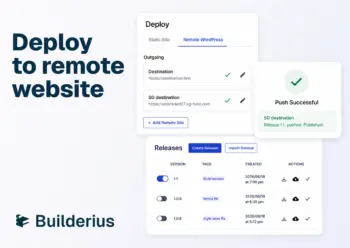
Push a Builderius release from one WordPress install to another in one click.
Builderius is built for working safely on the live site. The release and branch model has been making that possible since the alpha release. But some workflows benefit from working somewhere else first. Bulk content and CPT work is easier outside the builder. Agencies want a central library to feed every new project. AI does more on a local install.
Until today, the work done in those places was hard to ship back. Manual export, manual import, manual rebuild on live.
Remote Sync closes that gap.
One-click push from one WordPress install to another
You can now push a Builderius project from one WordPress install to another in a single action. Templates, components, dynamic data structure, optionally selected WordPress data, all moved as a release.
The release model you already use to manage staging and production work, extended to deploy across WordPress installations.
You choose what gets shipped
This is the key design decision in Remote Deployment. A release can carry only the Builderius layer (templates, components, styling), or include selected WordPress data (CPTs, ACF fields, taxonomies, settings). When shipping content, you can select specific posts or pages individually. Update this post on the live site, leave that one.
This matters most for busy live sites. Blogs publishing daily, e-commerce stores with active transactions. Traditional staging-to-production workflows hit a wall because the staging copy goes stale instantly, and pushing the database overwrites real customer data. This is a known complexity for WordPress developers.
Remote Sync separates the layers. Push templates and design without touching content. Push one specific content. Or no content at all. Live orders, posts, and entries stay exactly where they are.
What Remote Sync changes
Remote Sync is about the reverse direction from live-site building: local development pushing to a remote WordPress site.
Deeper rebuilds that need work outside Builderius
Creating CPTs and ACF field groups, bulk content imports, content modeling, plugin work, database-level work you would not want to do on live. These are more practical locally. Remote Sync gives a clean path back to live when the work is done.
The agency library workflow
Keep one Builderius site as your library. The framework, components, sections, templates, and settings you want to reuse across every project, in one central place. Live but hidden from search, accessible to your team.
For every new build, connect a new WordPress install to the library and push. The new site gets everything in one click. What used to be a manual export-and-import dance is now one operation.
Flexibility when live-site work is not practical
Sometimes the live site is not where you want to work. Poor internet, focus, large structural changes. Remote Sync makes local-first development a clean option, with the user choosing what to ship at deploy time. Optionality without taking anything from the live-site workflow.
Sense AI workflows
Sense AI has full access to the WordPress stack on local installs. It creates CPTs, ACF fields, taxonomies, imports content, builds templates with real data. On remote and live sites it is restricted to the builder for safety.
Until today, AI-driven local work was trapped there. Remote Sync closes that loop. Build with Sense AI at full power locally, then push to live in one click.
What this means in practice
A packaged Builderius site can now be pushed to any connected WordPress install in one click. Builder structure, components, templates, optionally content, all moved cleanly. Shipping a site is no longer a manual export-import dance.
What people choose to ship, and to whom, is now up to them.
Three days left
The $219 lifetime license closes Sunday, June 21. Pro tier, unlimited installs, full builder, Sense AI included, static export, data migration, and now Remote Sync.
After Sunday, Builderius goes off sale until the stable release at a new price. There is no next window at this price.

Ready to build like a professional?
Transform your WordPress workflow with professional-grade visual development. No more compromising between speed and quality.